Magibits AI Scribe - Quick Start Guide
Welcome to Magibits – your AI-powered medical scribe designed for doctors. This guide walks you through how to quickly get started and make the most out of Magibits.
What is Magibits?
Magibits AI Scribe is a powerful, easy-to-use documentation tool built for physicians. It captures doctor-patient conversations and transforms them into structured SOAP notes, allowing you to focus fully on the patient during visits.
You can record conversations directly from your mobile device or web browser, with seamless syncing between devices. Whether you're in the clinic, at home, or on the go, Magibits works smoothly in all environments.
✅ HIPAA-compliant
✅ All data processed securely in the U.S.
✅ Fast, simple, accurate
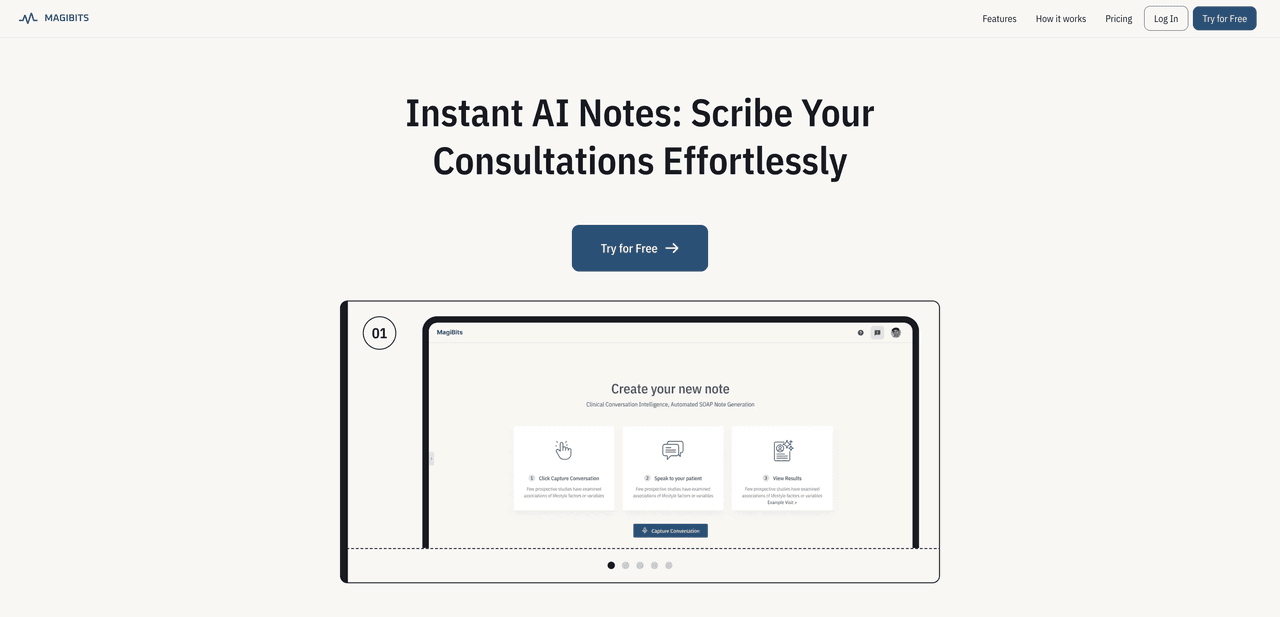
Step 1: Create Your Account
- Go to https://www.magibits.ai
- Enter your email to register (no billing info needed)
- Start your 10-day free trial and explore the features freely
📌 No credit card required
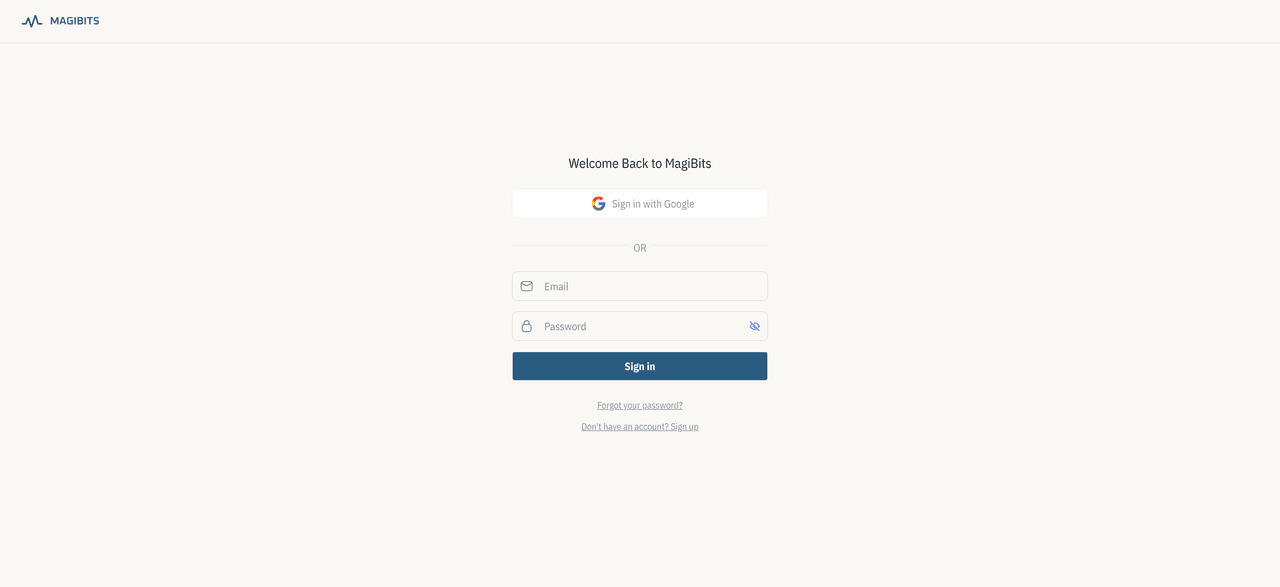
Step 2: Record Your First Visit
Magibits captures your clinical audio and automatically generates a full transcript and SOAP note.
- Open Magibits on your mobile app or web browser
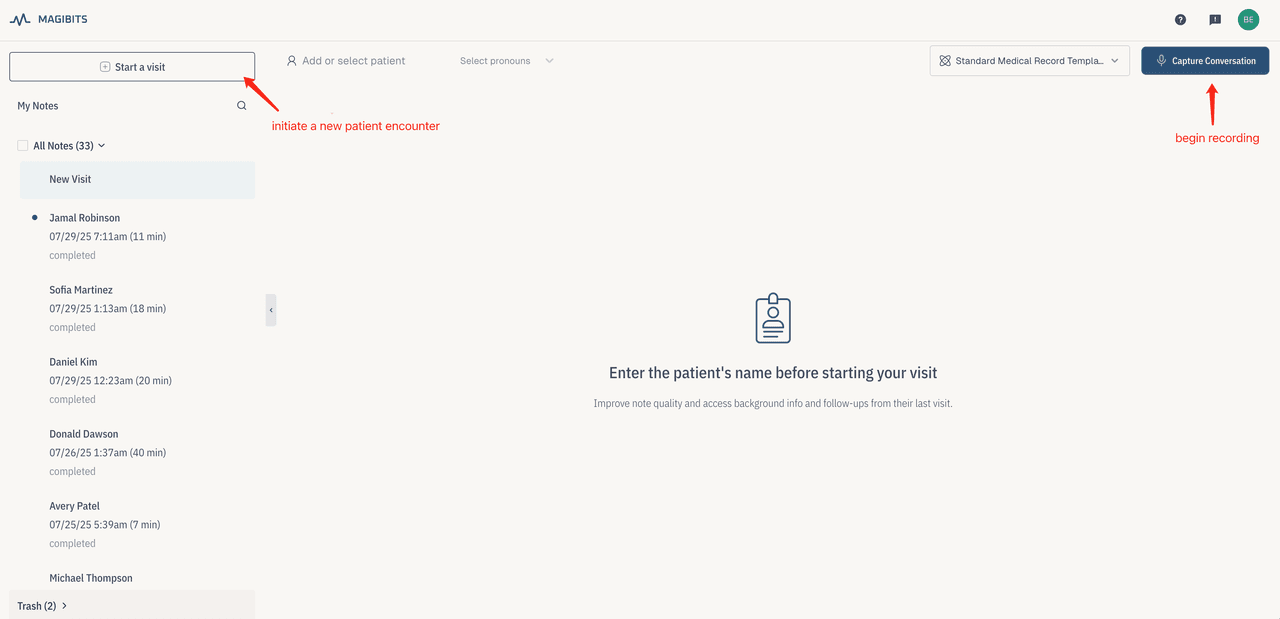
- Tap "Start a visit" to initiate a new patient encounter.
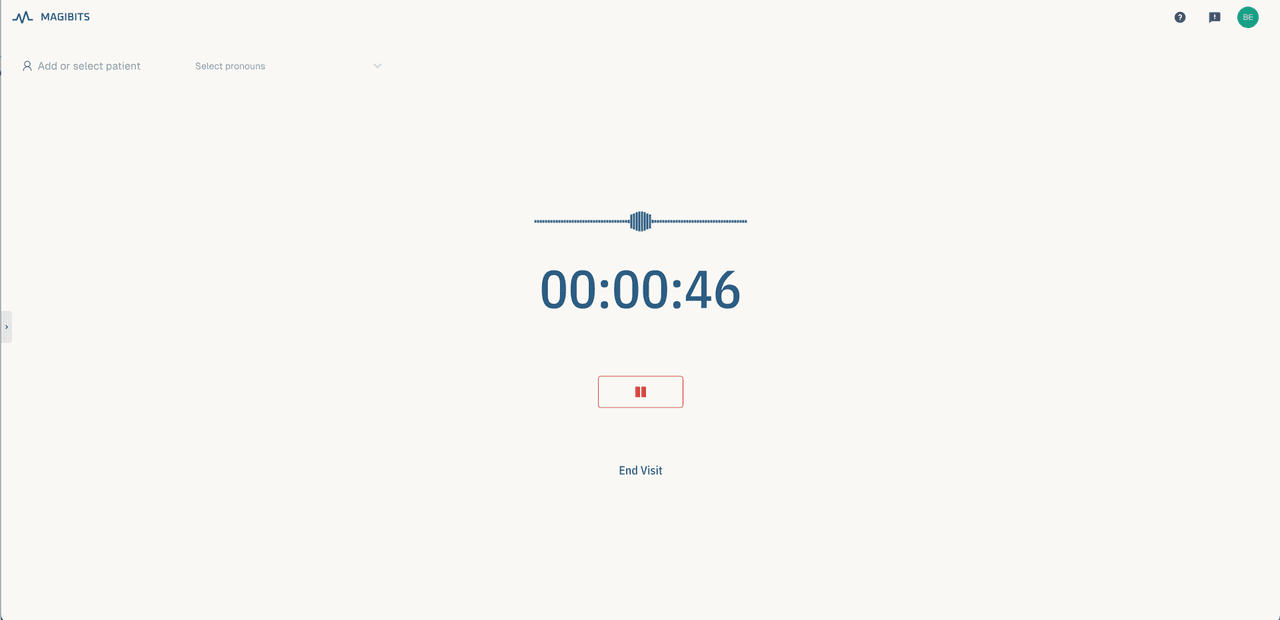
- Tap "Capture Conversation" to begin recording
- After the session, tap "End Visit" – Magibits will start processing
🕒 Processing typically takes a few seconds to a couple of minutes, depending on internet speed and visit length.
Step 3: Review and Edit Your SOAP Note
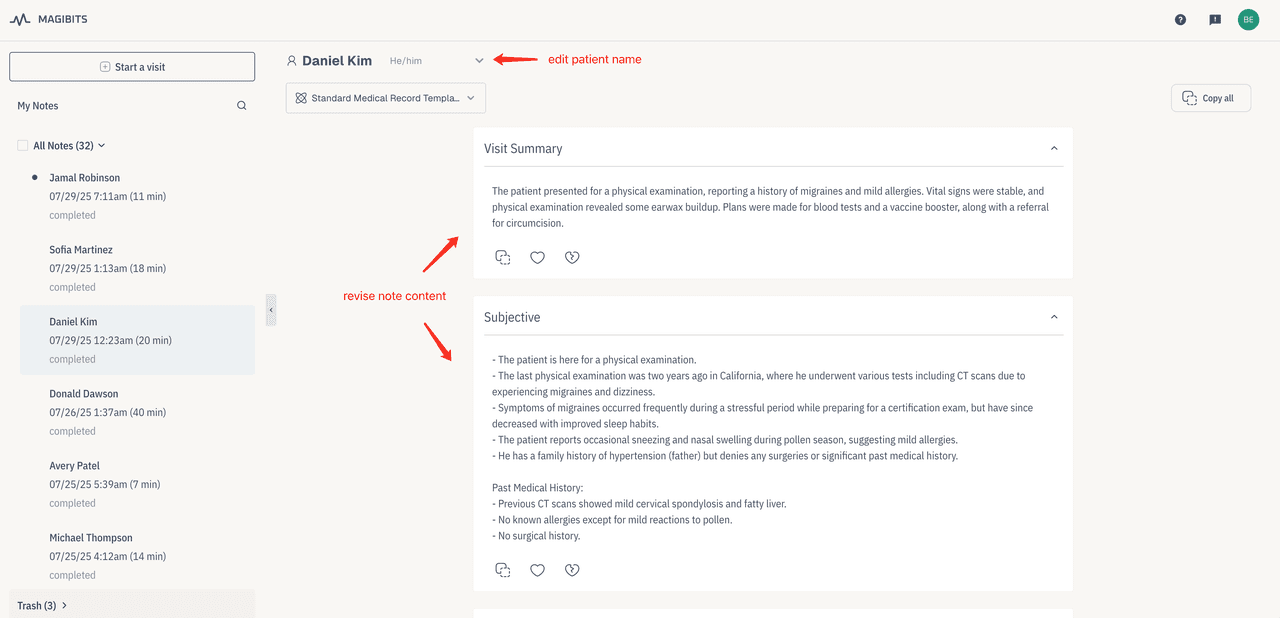
Once the visit is processed, your SOAP note will appear under "All Notes" in the left-hand menu.
You can:
- Edit the visit type or patient name
- Manually revise the note content
- Review the full transcript under "Transcript Summary" at the bottom
📌 It's important to double-check all key information before finalizing.
Step 4: Copy and Paste into Your EHR
Magibits is designed for seamless copy-paste workflows:
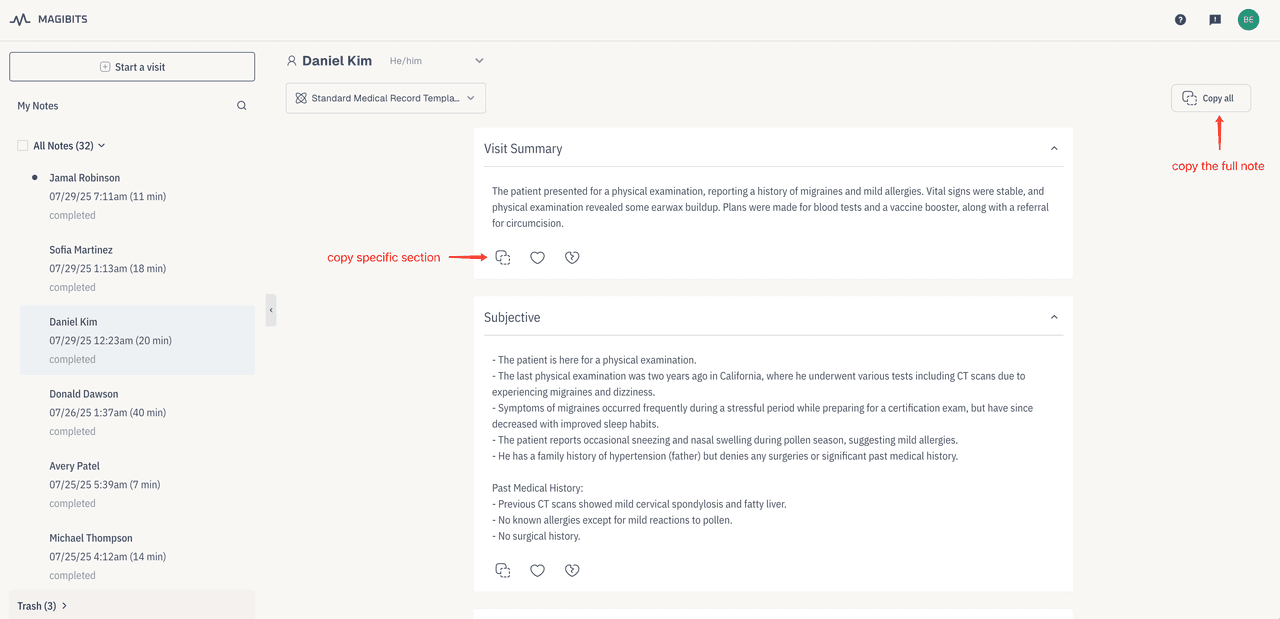
- Click "Copy All" to copy the full note
- Use section-specific Copy buttons for individual components
- Paste the content into your EHR/EMR system wherever needed
⚡ Quick, compatible, and hassle-free.
Step 5: Share Patient Instructions
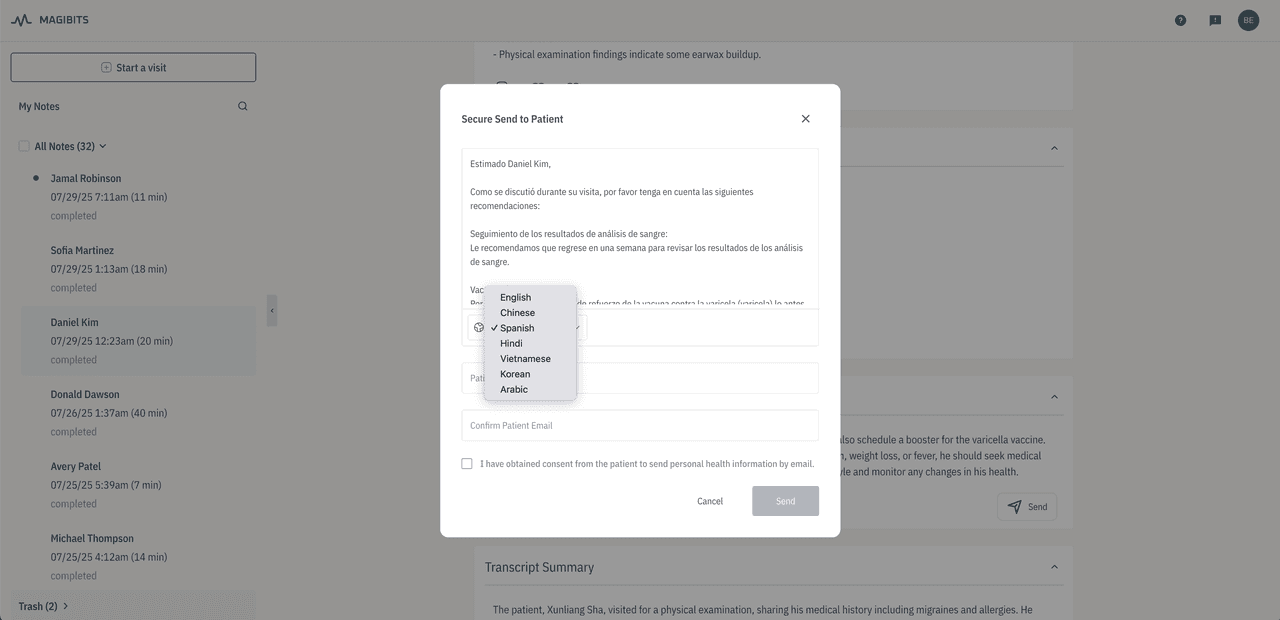
Magibits helps you provide patients with easy-to-understand instructions derived from your SOAP notes.
You can either:
Email the instructions:
- Select preferred language from the dropdown
- Click "Send" and enter the patient's email (delivered securely)
Print the instructions:
- Choose a language, click "Print", and hand it to the patient
🗣️ Supports multilingual delivery to improve communication and trust.
If you ever need help, don't hesitate to reach out to us at support@magibits.ai. We're here to support you every step of the way.
You take care of patients. Let us take care of the notes!
— The Magibits Team